Python for Beginners: A Complete Guide to Getting Started
Python for Beginners: A Complete Guide to Getting Started
Python is one of the most popular programming languages in the world and a great starting point for anyone who wants to learn programming. It is relatively easy to read, widely used in technology and has applications ranging from web development and automation to data analysis and artificial intelligence.
This beginner-friendly guide explains the fundamentals of Python and gives you a practical roadmap for getting started.
What Is Python?
Python is a high-level, general-purpose programming language designed to make programming easier to read and write.
Unlike some programming languages that require a lot of complex syntax, Python uses a relatively simple and clean structure.
For example:
print("Hello, World!")This simple statement tells Python to display:
Hello, World!
Python is used by beginners and experienced developers alike because it can be used for both simple scripts and large software projects.
Why Learn Python?
There are several reasons Python is a popular first programming language.
1. Easy-to-Read Syntax
Python code is generally easier for beginners to understand because its syntax is relatively straightforward.
2. Widely Used
Python is used across many areas of technology, including:
Web development
Data analysis
Artificial intelligence
Machine learning
Automation
Cybersecurity
Scientific computing
Software development
3. Large Community
Python has a large developer community and extensive documentation, tutorials and open-source libraries.
4. Useful for AI and Data
Python is particularly popular in artificial intelligence, machine learning and data science because of its extensive ecosystem of libraries and frameworks.
5. Good Foundation for Programming
Learning Python teaches important programming concepts such as variables, conditions, loops, functions and data structures that are useful in other programming languages too.
How Python Works
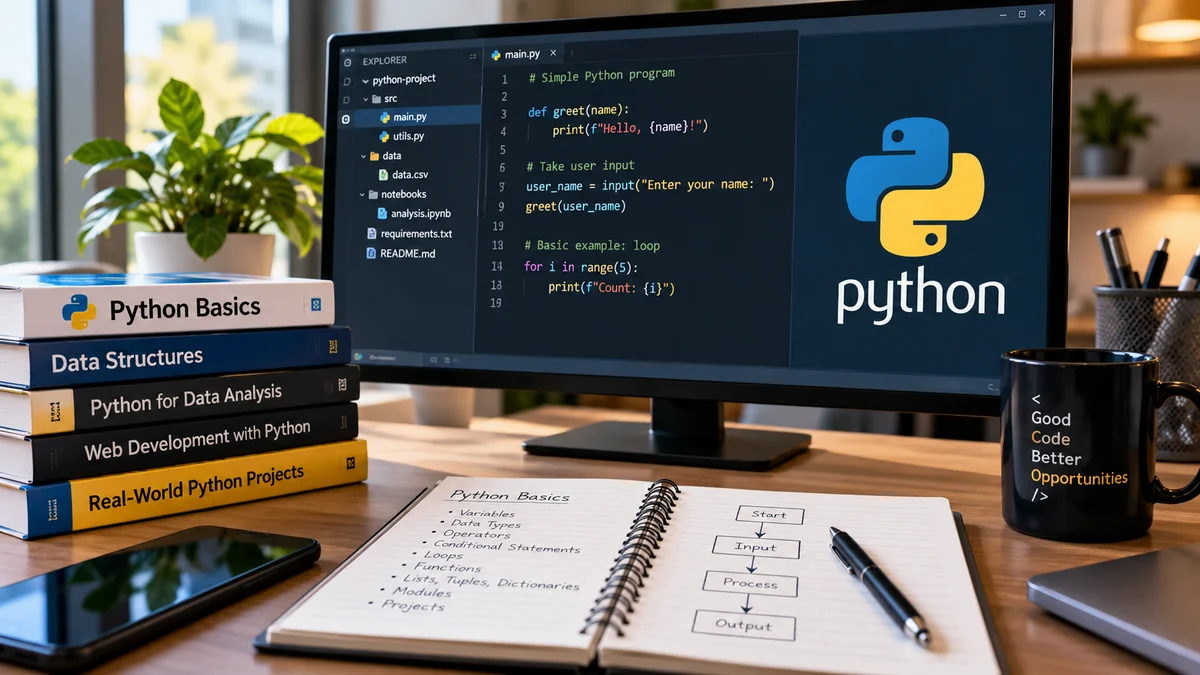
Python programs are generally written in .py files.
For example:
print("Welcome to GoBizly")When you run the program, Python interprets the instructions and produces the corresponding output.
Python can also be used interactively through environments such as the Python interpreter or development tools like Visual Studio Code and Jupyter Notebook.
Installing Python
To start learning Python, you need Python installed on your computer.
Download Python from the official Python website and install a recent stable version.
During installation on Windows, make sure the option to add Python to your system PATH is selected if the installer provides it.
After installation, you can check whether Python is available by opening a terminal or command prompt and running:
python --versionDepending on your operating system, you may also need:
python3 --versionIf Python is installed correctly, the command will display the installed version.
Your First Python Program
Let's start with the simplest possible program:
print("Hello, World!")The print() function displays information on the screen.
You can also print numbers:
print(10)print(25 + 5)Output:
10
30
You can print multiple pieces of information:
name = "Praveen"print("Hello", name)Variables in Python
A variable is a name used to store a value.
For example:
name = "Praveen"age = 25Here:
namestores textagestores a number
You can use these variables later:
print(name)print(age)Python determines the type of value automatically in many situations, so you don't usually need to declare the variable type separately.
Python Data Types
Python supports several commonly used data types.
String
Strings contain text.
name = "Praveen"Integer
Integers are whole numbers.
age = 25Float
Floats represent numbers containing decimal values.
price = 199.99Boolean
Booleans represent either True or False.
is_active = TrueYou can check the type of a value using:
type(name)Taking Input From Users
Python can accept information from a user using the input() function.
name = input("Enter your name: ")print("Hello", name)The program waits for the user to enter their name and then displays it.
Remember that input() normally returns text. If you want a number, you can convert it.
age = int(input("Enter your age: "))Operators in Python
Operators allow you to perform calculations and comparisons.
Arithmetic operators
a = 10b = 5print(a + b)print(a - b)print(a * b)print(a / b)Python also supports operators such as:
%— remainder//— floor division**— exponentiation
For example:
print(10 % 3)The result is:
1Conditional Statements
Conditional statements allow your program to make decisions.
The most common structure is if.
age = 20if age >= 18: print("You are an adult.")You can add an else condition:
age = 16if age >= 18: print("You can vote.")else: print("You are not eligible.")You can also use elif when you have multiple conditions:
marks = 75if marks >= 90: print("Excellent")elif marks >= 60: print("Good")else: print("Needs improvement")Indentation is important in Python. It helps define which statements belong to a particular block of code.
Loops in Python
Loops allow you to repeat instructions.
For Loop
A for loop is commonly used when you want to iterate over a sequence.
for i in range(5): print(i)This produces:
0
1
2
3
4
While Loop
A while loop continues running while a condition remains true.
count = 1while count <= 5: print(count) count += 1Loops are particularly useful when working with lists, data and repetitive tasks.
Functions in Python
A function is a reusable block of code designed to perform a particular task.
For example:
def greet(): print("Hello!")greet()Functions can also accept information called parameters.
def greet(name): print("Hello", name)greet("Praveen")Functions can return values as well:
def add(a, b): return a + bresult = add(10, 5)print(result)Using functions helps make programs easier to organize, reuse and maintain.
Python Lists
A list stores multiple values in a single variable.
fruits = ["Apple", "Banana", "Orange"]You can access an item using its position:
print(fruits[0])Output:
AppleYou can add an item:
fruits.append("Mango")You can also loop through the list:
for fruit in fruits: print(fruit)Lists are one of the most commonly used data structures in beginner Python programs.
Tuples
A tuple is another collection type.
coordinates = (10, 20)Tuples are similar to lists but are generally used when the collection should not be changed after creation.
Sets
A set stores unique values.
numbers = {1, 2, 3, 3}print(numbers)The duplicate value is removed.
Sets can be useful when you need to work with unique items.
Dictionaries
A dictionary stores information as key-value pairs.
person = { "name": "Praveen", "age": 25, "city": "Hyderabad"}You can access a value using its key:
print(person["name"])Dictionaries are extremely useful when working with structured information.
Basic Error Handling
Errors can occur while a program is running.
Python provides try and except to handle certain errors.
try: number = int(input("Enter a number: ")) print(number)except ValueError: print("Please enter a valid number.")Instead of allowing the program to stop unexpectedly, you can provide a useful message to the user.
Python Modules
As your programs become larger, you can organize code into separate files and use existing Python libraries.
For example:
import mathprint(math.sqrt(25))Python also has a large ecosystem of third-party packages that can extend what your programs can do.
Examples include libraries used for:
Data analysis
Machine learning
Web development
Automation
Visualization
Scientific computing
Before installing third-party packages, understand what the package does and use trusted sources.
A Simple Python Project for Beginners
One of the best ways to learn programming is to build something small.
Let's create a simple number guessing game.
import randomnumber = random.randint(1, 10)guess = int(input("Guess a number between 1 and 10: "))if guess == number: print("Correct!")else: print("Try again. The number was", number)This small project introduces several concepts:
Importing a module
Variables
User input
Number conversion
Conditions
Random numbers
Once you understand the basics, try improving the project by giving the user multiple attempts.
Common Beginner Mistakes
Learning programming takes practice. Making mistakes is part of the process.
Some common mistakes include:
Trying to Memorize Everything
You don't need to memorize every Python function or library.
Focus on understanding concepts and learn how to find reliable documentation when you need something.
Ignoring Error Messages
Error messages can provide valuable information about what went wrong.
Instead of immediately ignoring an error, read it carefully and identify the line or operation causing the problem.
Writing Large Programs Too Early
Start with small programs.
Build a calculator, number guessing game, simple quiz or basic automation script before attempting a large application.
Copying Code Without Understanding It
Using examples is useful, but try to understand what each part of the code does.
Not Practicing
Watching programming tutorials without writing code yourself will not be enough.
Spend time writing and modifying programs.
What Should You Learn After Python Basics?
Once you understand variables, conditions, loops, functions and basic data structures, you can start exploring more advanced topics.
A possible learning path is:
Python Basics
↓
Functions & Data Structures
↓
Object-Oriented Programming
↓
Modules & Packages
↓
File Handling
↓
Error Handling
↓
APIs & JSON
↓
Databases & SQL
↓
Git & GitHub
↓
Choose a Specialization
Your specialization could be:
Web Development
Learn frameworks and tools used to build websites and web applications.
Data Analysis
Learn tools such as pandas, NumPy and visualization libraries.
Artificial Intelligence & Machine Learning
Learn mathematics, statistics, machine learning concepts and relevant Python libraries.
Automation
Use Python to automate repetitive tasks and workflows.
Cybersecurity
Explore Python for scripting, automation, analysis and security-related tasks.
Python Learning Roadmap for Beginners
If you're completely new to programming, don't try to learn everything at once.
Stage 1 — Programming Fundamentals
Learn:
Variables
Data types
Operators
Input and output
Conditions
Loops
Stage 2 — Core Python
Learn:
Functions
Lists
Tuples
Sets
Dictionaries
Strings
Error handling
Stage 3 — Practical Python
Practice:
File handling
Modules
APIs
JSON
Basic automation
Working with databases
Stage 4 — Build Projects
Start with small projects such as:
Calculator
To-do list
Number guessing game
Quiz application
Expense tracker
File organizer
Stage 5 — Choose Your Direction
Once you have a strong foundation, choose an area such as:
Web Development | Data | AI & Machine Learning | Automation | Cybersecurity
How Long Does It Take to Learn Python?
There is no fixed amount of time required to learn Python.
A beginner who practices consistently can understand the fundamentals within a few weeks, but becoming comfortable with Python requires continued practice and real projects.
Instead of focusing only on how many days it takes, focus on what you can build.
A good progression is:
Learn → Practice → Build → Make Mistakes → Improve → Build Again
Final Thoughts
Python is a strong starting point for anyone interested in programming and technology. Its relatively readable syntax, broad ecosystem and wide range of applications make it useful for both beginners and experienced developers.
You don't need to learn every Python feature before building something.
Start with the fundamentals, write small programs, understand your errors and gradually work toward real projects.
Once you have a solid foundation, choose a direction that matches your goals—whether that's web development, data analysis, automation, artificial intelligence or another area of technology.
The best way to learn Python is not just to read about it. Start writing code and build something.