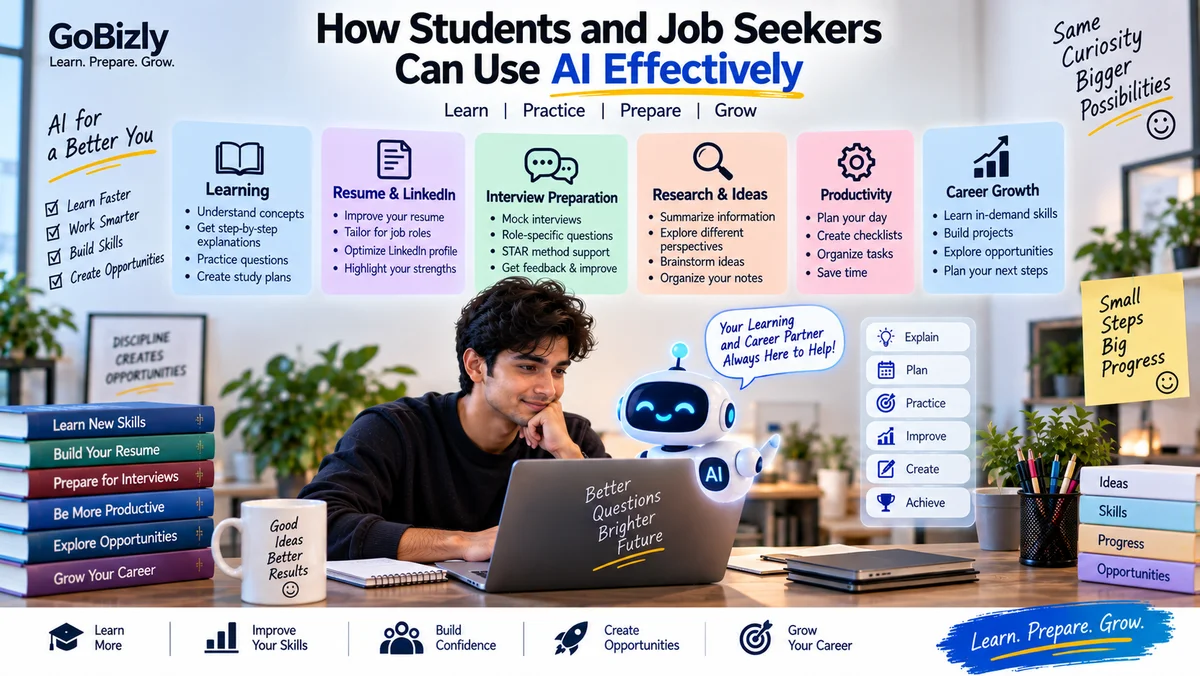
How Students and Job Seekers Can Use AI Effectively
How Students and Job Seekers Can Use AI Effectively
Artificial intelligence has become a useful tool for learning, research, writing, productivity and career preparation.
For students and job seekers, AI can help with tasks such as understanding difficult concepts, practicing interviews, organizing information, improving a resume and creating study plans.
But using AI effectively isn't simply about asking it to do everything for you.
The real value comes from using AI to learn faster, practice better and organize your work while maintaining your own judgment.
This guide explains practical ways students and job seekers can use AI responsibly and effectively.
1. Understand What AI Can and Cannot Do
AI tools can be useful for:
Explaining concepts
Brainstorming ideas
Summarizing information
Creating practice questions
Organizing information
Drafting content
Practicing interviews
Reviewing written work
Creating study plans
Supporting research
However, AI-generated information can sometimes be incomplete, outdated or incorrect.
Therefore, don't automatically assume that an AI response is accurate.
A good habit is:
Ask → Check → Understand → Apply
2. Use AI as a Learning Assistant
Instead of asking AI to simply give you an answer, ask it to teach you.
For example, instead of:
"Give me the answer to this question."
Try:
"Explain this concept step by step and give me a simple example."
You can also ask:
Explain this like I'm a beginner.
Give me a real-world example.
Compare these two concepts.
Quiz me on this topic.
Ask me progressively harder questions.
Identify the areas I should revise.
This turns AI from an answer generator into a learning assistant.
3. Ask AI to Explain Difficult Concepts
If you're struggling with a topic, ask AI to explain it at different levels.
For example:
Level 1: Explain it in simple language.
Level 2: Explain the technical details.
Level 3: Give a real-world example.
Level 4: Ask me interview questions about it.
This can help you move from basic understanding toward practical application.
4. Use AI to Create Study Plans
If you have an exam, interview or certification coming up, AI can help organize your preparation.
Provide:
Your target
Available time
Current skill level
Topics you need to cover
Deadline
Then ask for a structured plan.
For example:
"I have 30 days to prepare for a digital marketing interview. I can study one hour per day. Create a practical preparation plan covering fundamentals, Google Ads, analytics, programmatic advertising and interview practice."
You can then adjust the plan based on your actual progress.
5. Use AI for Active Recall
Simply reading information isn't always enough.
Ask AI to quiz you.
For example:
"Ask me 10 questions about SEO one at a time. Don't give me the answer until I respond."
This creates an interactive practice session.
You can use the same approach for:
College subjects
Technical concepts
Aptitude
Digital marketing
Interview preparation
Business concepts
General knowledge
6. Use AI for Interview Preparation
AI can simulate an interview.
You can provide:
Job title
Job description
Your experience
Skills
Interview type
Then ask AI to act as the interviewer.
For example:
"Conduct a mock interview for a Digital Marketing Executive position. Ask one question at a time and give feedback after each answer."
You can practice:
HR questions
Technical questions
Behavioral questions
Scenario questions
Role-specific questions
This can help you become more comfortable explaining your experience.
7. Practice the STAR Method With AI
If you're preparing for behavioral interviews, ask AI to help you structure your examples.
Provide a real experience and ask:
"Help me structure this experience using Situation, Task, Action and Result. Don't invent details."
This last instruction is important.
AI should help organize your actual experience rather than create achievements that didn't happen.
8. Use AI to Improve Your Resume
AI can help review your resume for:
Clarity
Structure
Relevance
Grammar
Repetition
Achievement descriptions
Role alignment
For example:
"Review this resume against the job description. Identify missing skills, unclear statements and areas I should improve. Do not add experience I don't have."
This is generally more useful than simply asking AI to create an entirely new resume without context.
9. Don't Let AI Invent Your Experience
This is especially important when preparing a resume or interview.
Never allow AI to create:
Fake employment
Fake projects
Fake achievements
Fake certifications
Fake responsibilities
Fake results
If AI generates something that isn't true, remove it.
Your resume should accurately represent your actual experience.
10. Use AI to Improve LinkedIn Content
AI can help you organize ideas for:
LinkedIn posts
About sections
Project descriptions
Professional summaries
Learning updates
But your profile should still sound like you.
Instead of publishing generic AI-generated posts every day, use AI to help turn your actual experiences and learning into useful content.
For example:
What I learned → Why it matters → Example → Practical takeaway
This produces more authentic professional content.
11. Use AI for Research
AI can help you begin research by:
Explaining a topic
Creating a list of subtopics
Suggesting questions to investigate
Comparing concepts
Organizing notes
However, important facts should be verified using reliable sources.
This is particularly important for:
Academic work
Professional decisions
Current information
Statistics
Regulations
Financial information
Technical documentation
Use AI to accelerate research, not to eliminate verification.
12. Ask AI to Challenge Your Thinking
AI doesn't have to agree with you.
You can ask:
"What assumptions am I making?"
or:
"Give me three alternative perspectives."
or:
"What could be wrong with this approach?"
This can help you identify gaps in your reasoning.
For students, this can be useful when preparing essays, presentations, projects and discussions.
13. Use AI to Practice Communication
AI can help you practice communication in several ways.
For example:
"Give me a random topic and ask me to speak about it for one minute."
After you provide your answer, ask for feedback on:
Structure
Clarity
Repetition
Filler words
Relevance
Conclusion
You can also practice:
JAM
Group discussions
Presentations
Interview introductions
Business communication
14. Use AI for Aptitude Practice
AI can generate practice questions for:
Percentages
Ratios
Averages
Logical reasoning
Verbal ability
Data interpretation
You can specify:
Difficulty
Number of questions
Topic
Time limit
For example:
"Create 10 medium-difficulty percentage questions for placement preparation. Give the answers separately."
Always verify solutions if you're using AI-generated questions for serious preparation.
15. Use AI to Organize Your Work
AI can help turn unstructured information into organized formats.
For example, you can provide meeting notes and ask for:
Action items
Deadlines
Responsibilities
Questions
Summary
You can also use AI to create:
Checklists
Study schedules
Project plans
Task lists
Research outlines
The important thing is to review the output before relying on it.
16. Use AI for Brainstorming
When you're stuck, AI can provide starting points.
For example:
Project ideas
Presentation topics
Blog topics
Business ideas
Research questions
Interview questions
Content ideas
Don't treat the first response as the final answer.
Ask for alternatives.
Then evaluate which ideas are actually useful.
17. Learn How to Write Better Prompts
A useful prompt usually provides enough context for the AI to understand what you want.
Include:
Role
Tell the AI what perspective it should take.
Task
Explain what you want it to do.
Context
Provide relevant background.
Constraints
Mention limits such as word count, audience or format.
Output Format
Tell it how you want the response structured.
For example:
"Act as an interview coach. I'm preparing for a digital marketing executive interview. Ask me 10 technical questions one at a time. After each answer, give concise feedback and suggest what I could improve."
This is much more specific than:
"Give me interview questions."
18. Don't Put Sensitive Information Into AI Tools
Think carefully before sharing personal or confidential information.
Avoid unnecessarily entering:
Passwords
Payment information
Private credentials
Confidential company information
Sensitive personal records
Private customer information
If you need AI assistance with a document, consider removing unnecessary sensitive details first.
19. Always Review AI-Generated Content
Before using AI output, check:
Accuracy
Are the facts correct?
Relevance
Does it actually answer your question?
Context
Does the information apply to your situation?
Originality
Does the content simply repeat generic information?
Tone
Does it sound appropriate?
Completeness
Is anything important missing?
AI can save time, but review remains important.
20. Build Your Own AI Workflow
Once you become comfortable with AI, create repeatable workflows.
For example, a job seeker might use:
Job Description
↓
AI identifies key requirements
↓
Resume comparison
↓
Skill-gap analysis
↓
Interview question generation
↓
Mock interview
↓
Answer review
↓
Final preparation
A student might use:
Topic
↓
AI explanation
↓
Examples
↓
Practice questions
↓
Quiz
↓
Revision summary
↓
Self-test
The goal is to make AI part of a useful process rather than using it randomly.
AI Should Support Your Skills, Not Replace Them
One of the biggest mistakes is becoming dependent on AI.
If AI writes every answer, solves every problem and makes every decision, you may become less prepared when you need to work independently.
Use AI to:
Learn faster
Practice more
Organize better
Explore ideas
Get feedback
But make sure you still develop:
Critical thinking
Communication
Problem solving
Technical knowledge
Creativity
Decision-making
These remain important even when AI tools become more capable.
A Simple AI Learning Framework
Remember:
ASK
Clearly define what you need.
↓
LEARN
Use AI to understand the concept.
↓
PRACTICE
Test yourself without relying completely on AI.
↓
VERIFY
Check important information.
↓
APPLY
Use what you've learned in a real task.
↓
REFLECT
Identify what you still need to improve.
This creates a much stronger learning cycle than simply asking AI for answers.
Common AI Mistakes
Copying AI Answers Without Understanding
You may struggle when someone asks you to explain the answer yourself.
Using AI-Generated Facts Without Verification
AI can produce incorrect information.
Creating Fake Resume Experience
Never misrepresent your background.
Giving AI Too Much Personal Information
Share only what is necessary.
Using Generic Prompts
More context often produces more useful responses.
Becoming Dependent on AI
Keep developing your own skills.
Publishing Everything AI Generates
Review and personalize content before using it.
AI Productivity Checklist
☐ Use AI to explain difficult concepts
☐ Create study plans
☐ Practice interview questions
☐ Simulate interviews
☐ Practice JAM and communication
☐ Review your resume
☐ Brainstorm ideas
☐ Organize notes and tasks
☐ Generate practice questions
☐ Learn prompt-writing basics
☐ Verify important information
☐ Protect sensitive information
☐ Review AI-generated content
☐ Keep developing your own skills
Conclusion
AI can become a powerful learning and productivity assistant when you use it thoughtfully.
Use it to explain.
Use it to practice.
Use it to organize.
Use it to challenge your thinking.
Use it to prepare.
But don't allow it to replace your own understanding.
The most valuable approach is not:
AI does everything for me.
It is:
AI helps me learn, practice and work better.
As AI continues to evolve, the ability to use these tools effectively while maintaining critical thinking and professional judgment can become an important skill in itself.
Use AI intelligently. Build real skills. Keep learning.
Learn. Prepare. Grow.