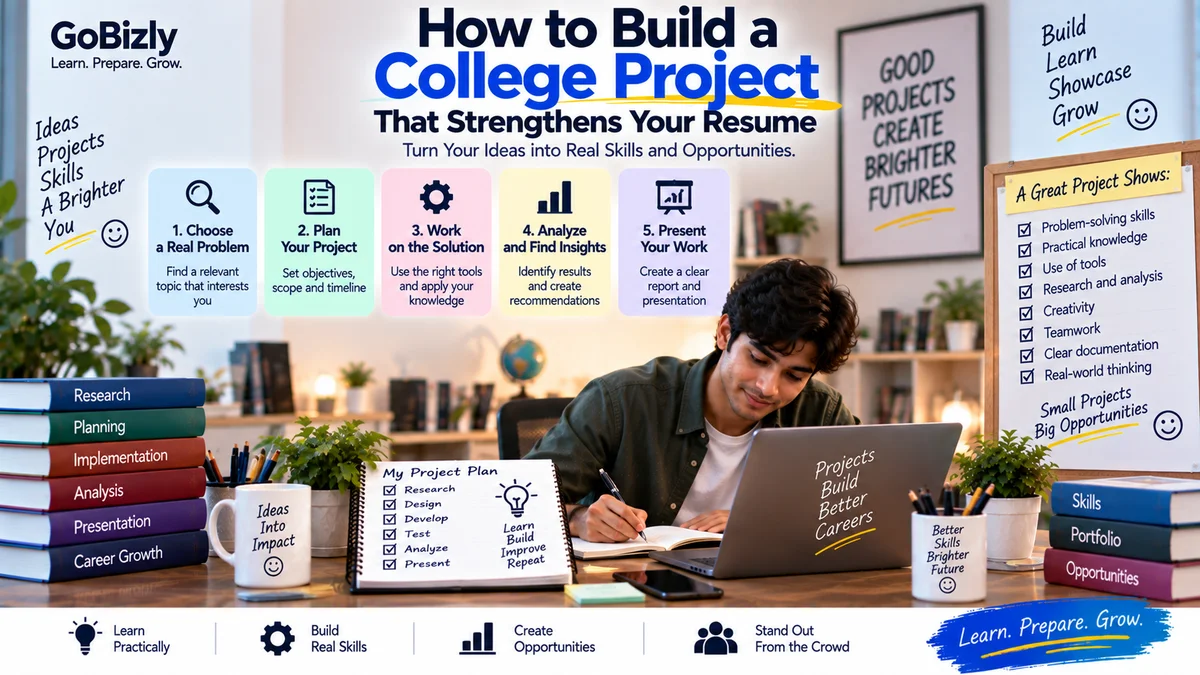
How to Build a College Project That Strengthens Your Resume
How to Build a College Project That Strengthens Your Resume
A college project can be more than an academic requirement.
A well-designed project can demonstrate that you can:
Identify a problem
Research information
Plan a solution
Use relevant tools
Work with others
Analyze information
Present your findings
For students with limited professional experience, projects can provide useful evidence of practical skills.
1. Start With a Real Problem
Instead of choosing a topic simply because it sounds impressive, identify a problem you can realistically explore.
For example:
How can a small business improve its online presence?
How can students organize their study schedules?
How can customer feedback be analyzed?
How can a simple process be automated?
A clear problem gives the project direction.
2. Define the Objective
Write one clear objective.
For example:
"The objective of this project is to analyze the online presence of local businesses and identify practical opportunities for improvement."
Your objective should explain what you're trying to accomplish.
3. Choose an Appropriate Scope
Don't make the project unnecessarily large.
A manageable project that you complete properly is generally more useful than an ambitious project that remains unfinished.
Define:
What you'll cover
What you'll exclude
Available time
Available resources
4. Research the Topic
Use reliable sources.
Depending on the project, this could include:
Academic resources
Industry reports
Official documentation
Books
Reputable websites
Surveys
Interviews
Keep track of your sources as you research.
5. Create a Project Plan
Divide the project into stages.
Stage 1
Research
Stage 2
Planning
Stage 3
Execution
Stage 4
Analysis
Stage 5
Documentation
Stage 6
Presentation
Assign deadlines to each stage.
6. Choose Relevant Tools
Use tools that actually support the project.
For example:
Excel
Google Sheets
PowerPoint
Canva
SQL
Python
Analytics platforms
Survey tools
Don't add tools just to make the project look technical.
Be prepared to explain how you used them.
7. Define Your Role
If you're working in a team, document your contribution.
For example:
Team member 1: Research
Team member 2: Data analysis
Team member 3: Presentation
Team member 4: Documentation
During interviews, be able to clearly explain what you personally contributed.
8. Collect and Organize Information
Depending on the project, collect:
Data
Survey responses
Research findings
Screenshots
Observations
Calculations
Keep everything organized.
9. Analyze the Information
Don't simply collect information.
Try to identify:
Patterns
Trends
Problems
Differences
Opportunities
Explain what the findings mean.
10. Develop a Solution
Based on your research, create a practical recommendation or solution.
For example:
Problem: Low awareness of a student event.
Finding: Students were mainly discovering events through social media.
Recommendation: Use a structured social media communication plan.
Your solution should connect logically to your findings.
11. Document the Process
Create a project document containing:
Title
Problem statement
Objective
Research
Methodology
Findings
Solution
Results
Limitations
Conclusion
Good documentation makes your work easier to explain.
12. Include Limitations
No student project is perfect.
Explain limitations honestly.
Examples:
Small sample size
Limited time
Limited data
Limited access to tools
Simulated environment
Acknowledging limitations can make your analysis more credible.
13. Create a Strong Presentation
Your presentation should tell a story:
Problem → Research → Analysis → Solution → Outcome
Avoid filling slides with paragraphs.
Use:
Short points
Charts
Diagrams
Screenshots
Examples
14. Prepare for Project Questions
Interviewers may ask:
Why did you choose this topic?
What was your role?
What tools did you use?
What was the biggest challenge?
What did you learn?
What would you improve?
What would you do differently?
Prepare for these questions before presenting the project.
15. Add the Project to Your Resume
A project entry can include:
Project Name
What problem you addressed
What you did
Tools used
Key outcome
For example:
Student Marketing Analysis Project
Analyzed the digital presence of selected local businesses, evaluated website and social media activity, and developed practical recommendations using competitive research and spreadsheet analysis.
Keep the description concise.
16. Create a Portfolio Version
If appropriate, turn the project into a portfolio case study.
Include:
Problem
Process
Your contribution
Tools
Findings
Solution
Lessons learned
Remove confidential information if the project involved a real organization.
17. Don't Fake Results
If your project is a simulation, clearly say so.
For example:
"Simulated campaign project created for academic practice."
Don't present simulated results as actual business results.
18. Learn From the Project
At the end, ask:
What did I learn?
Which skill improved?
What was difficult?
What would I change?
What would I build next?
This turns a college assignment into a learning experience.
19. Keep Project Files Organized
Create folders such as:
Project
→ Research
→ Data
→ Analysis
→ Presentation
→ Report
→ Final Files
Use clear file names.
20. Build Projects Around Your Career Direction
If you know what type of role you want, choose projects that demonstrate relevant skills.
For example:
Marketing: Campaign analysis
Data: Dashboard or analysis project
IT: Application or automation project
Finance: Financial analysis
HR: Employee engagement study
Business: Market research
Your project doesn't need to be identical to professional work.
It should demonstrate relevant thinking and skills.
College Project Checklist
☐ Clear problem
☐ Defined objective
☐ Appropriate scope
☐ Research completed
☐ Relevant tools selected
☐ Personal contribution documented
☐ Information analyzed
☐ Solution developed
☐ Limitations documented
☐ Presentation prepared
☐ Interview questions practiced
☐ Resume description created
☐ Portfolio version created where appropriate
Conclusion
A college project can become one of the strongest pieces of evidence on a student's early-career profile.
Don't focus only on making the project look impressive.
Focus on solving a clear problem, applying relevant skills and being able to explain your decisions.
When you can confidently explain what you did, why you did it and what you learned, your project becomes much more useful during interviews and career preparation.
Build something meaningful. Document what you learned. Be ready to explain it.
Learn. Prepare. Grow.