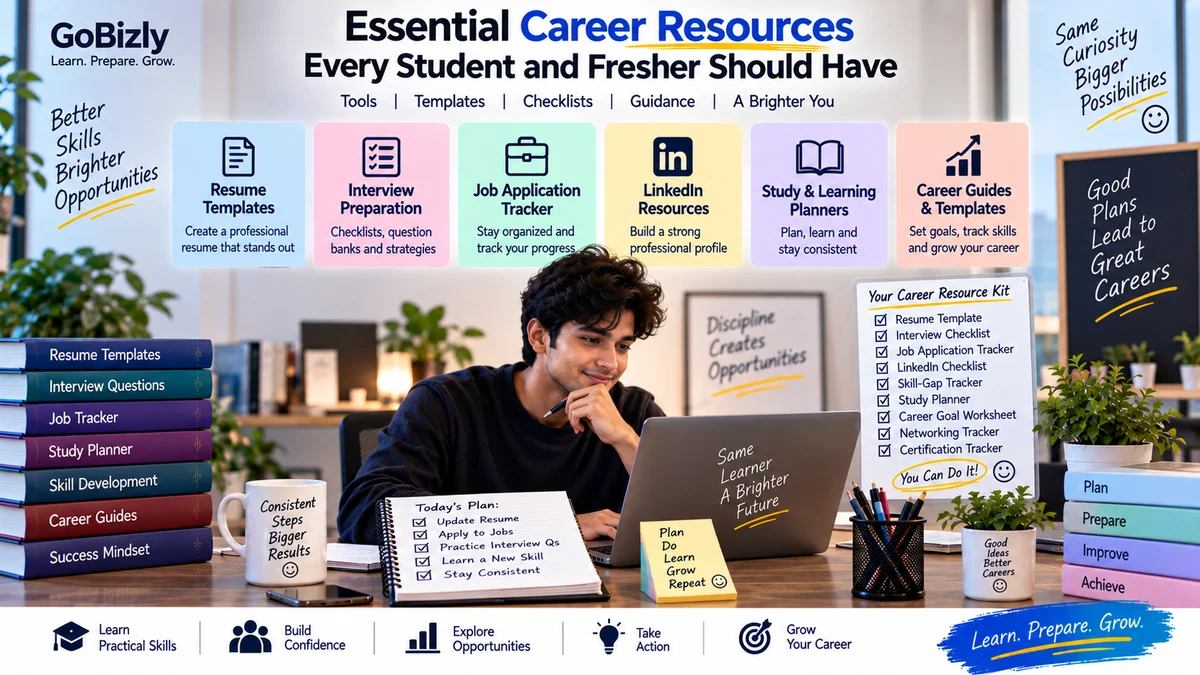
Essential Career Resources Every Student and Fresher Should Have
Essential Career Resources Every Student and Fresher Should Have
Starting college, preparing for your first job or planning your next career move can involve a lot of information.
You may need to create a resume, prepare for interviews, track job applications, organize your learning, improve your LinkedIn profile and keep track of important deadlines.
Without a simple system, it is easy to lose track of what you have completed and what still needs attention.
The right resources can make this process more organized.
You don't need dozens of complicated tools.
A small collection of practical templates, checklists and trackers can help you manage your career preparation more effectively.
1. A Good Resume Template
Your resume is often one of the first documents an employer sees.
A useful resume template should help you organize:
Contact information
Professional summary
Education
Skills
Projects
Experience
Certifications
Achievements
The exact structure should depend on your background and target role.
For a fresher, projects, education, relevant skills and internships may be particularly important.
For an experienced professional, the emphasis may shift toward relevant experience and achievements.
The template should support your information rather than force your experience into an unsuitable format.
2. A Resume Checklist
A checklist can help you review your resume before submitting it.
Check:
☐ Correct contact information
☐ Relevant skills included
☐ Clear formatting
☐ Consistent dates
☐ No obvious spelling errors
☐ Relevant experience highlighted
☐ Projects described clearly
☐ Unnecessary information removed
☐ Resume tailored to the target role
☐ File name is professional
A final review can help catch simple mistakes.
3. A Job Application Tracker
If you're applying to multiple companies, it can become difficult to remember where you applied.
A simple tracker can include:
Company | Role | Date Applied | Status | Next Step |
|---|---|---|---|---|
Company A | Marketing Executive | Sept 10 | Applied | Follow up |
Company B | Analyst | Sept 12 | Interview | Prepare |
Company C | Specialist | Sept 15 | Screening | Wait for response |
You can also add:
Job URL
Recruiter name
Recruiter contact
Salary information
Interview date
Notes
The purpose is to keep your job search organized.
4. A LinkedIn Profile Checklist
Your LinkedIn profile should communicate what you do and what opportunities you're looking for.
Review:
☐ Professional profile photo
☐ Clear headline
☐ Relevant About section
☐ Updated experience
☐ Relevant skills
☐ Education
☐ Certifications
☐ Projects where relevant
☐ Appropriate profile URL
☐ Professional contact information where appropriate
Your LinkedIn profile doesn't need to contain every detail from your resume.
It should present a clear professional story.
5. An Interview Preparation Checklist
Before an interview, review:
Company
☐ What does the company do?
☐ What products or services does it offer?
☐ Who are its customers?
☐ What role are you applying for?
Role
☐ What are the main responsibilities?
☐ What skills are required?
☐ Which areas of your experience are most relevant?
Interview
☐ Tell me about yourself
☐ Why do you want this role?
☐ Why this company?
☐ Strengths and areas for development
☐ Relevant technical questions
☐ Behavioral questions
☐ Scenario-based questions
Preparing these areas can make your interview preparation more structured.
6. A "Tell Me About Yourself" Framework
This is one of the questions frequently encountered in interviews.
A simple structure is:
Present → Past → Relevant Skills → Future
Present
Briefly explain what you're currently doing.
Past
Mention relevant education or experience.
Relevant Skills
Connect your strongest skills to the role.
Future
Explain why you're interested in the opportunity.
Keep the answer relevant to the position.
Avoid turning it into a long personal biography.
7. A STAR Answer Template
For behavioral questions, the STAR structure can help organize your response.
S — Situation
What was happening?
T — Task
What responsibility did you have?
A — Action
What did you personally do?
R — Result
What happened as a result?
Use real experiences.
Don't invent achievements simply to make an answer sound stronger.
8. A Skill-Gap Tracker
A skill-gap tracker helps you compare your current skills with the requirements of a target role.
For example:
Skill | Current Level | Required Level | Action |
|---|---|---|---|
Excel | Intermediate | Advanced | Practice |
SQL | Beginner | Intermediate | Course + projects |
Communication | Intermediate | Strong | Practice |
Analytics | Beginner | Intermediate | Learn fundamentals |
This turns a vague goal like "I need to improve my skills" into specific actions.
9. A Learning Planner
If you're learning multiple subjects, create a simple learning planner.
Include:
Topic
Resource
Start date
Target date
Status
Practice completed
Revision date
For example:
Topic | Status | Next Action |
|---|---|---|
Google Ads | Learning | Complete practice |
SQL | Started | Solve exercises |
Interview Skills | Planned | Begin questions |
This can help you maintain consistency.
10. A Study Planner
Students can use a weekly study planner to organize:
Classes
Assignments
Exams
Projects
Revision
Practice
Personal commitments
A useful planner should be realistic.
Don't fill every hour of the day.
Leave enough flexibility for unexpected tasks.
11. A Career Goal Worksheet
Instead of setting a vague goal such as:
"I want a good job."
Define:
Target Role
What position are you aiming for?
Target Industry
Which industry interests you?
Current Skills
What can you already do?
Skill Gaps
What do you need to learn?
Target Timeline
When do you want to be ready?
Next Action
What can you do this week?
Breaking a large career goal into smaller actions makes it easier to work on.
12. A Job Description Analysis Template
When you find an interesting job, don't apply immediately without understanding the requirements.
Create a quick analysis:
Required Skills
What skills are explicitly mentioned?
Preferred Skills
Which skills are useful but not mandatory?
Experience
What level of experience is requested?
Responsibilities
What will you actually be expected to do?
Your Match
Which requirements do you already meet?
Skill Gaps
What should you improve?
This can help you decide how to tailor your resume and prepare for the interview.
13. An Interview Question Bank
Create a collection of questions grouped by type.
HR Questions
Tell me about yourself.
Why do you want this role?
Why should we hire you?
What are your strengths?
Behavioral Questions
Tell me about a difficult situation.
Describe a time you solved a problem.
Tell me about a mistake you made.
Technical Questions
Questions related to your target role.
Scenario Questions
Questions that ask how you would handle a realistic situation.
Review your question bank regularly.
Don't memorize every answer word-for-word.
Understand the ideas and prepare relevant examples.
14. A Networking Tracker
Networking can become difficult to manage once you start speaking with multiple people.
Track:
Name
Company
Role
Where you connected
Date
Conversation topic
Follow-up date
For example:
Contact | Company | Connection | Follow-Up |
|---|---|---|---|
Contact A | Company A | Sept 25 | |
Contact B | Company B | Referral | Oct 2 |
Keep networking professional and respectful.
Don't repeatedly message someone without a relevant reason.
15. A Career Portfolio
A portfolio can provide evidence of what you can do.
Depending on your career, it could contain:
Projects
Presentations
Writing samples
Campaign examples
Dashboards
Designs
Code
Research
Case studies
Not every profession requires a traditional portfolio.
However, having examples of your work can make it easier to demonstrate practical skills.
16. A Certification Tracker
If you're completing certifications, track:
Certification name
Provider
Start date
Completion date
Expiry date, if applicable
Credential URL
This prevents certifications from becoming scattered across emails and documents.
Only list certifications you have actually completed.
17. A Career Document Folder
Create a simple digital folder structure.
For example:
Career
→ Resume
→ Cover Letters
→ Certificates
→ Projects
→ Interview Preparation
→ Job Applications
→ LinkedIn
→ Portfolio
Use consistent file names.
For example:
Praveen_Kumar_Resume_Digital_Marketing.pdf
This makes important documents easier to find when you need them.
18. A Weekly Career Review
Set aside a small amount of time each week to review your progress.
Ask:
What did I accomplish this week?
What did I learn?
Which applications did I submit?
Which interviews are coming up?
What skill should I improve next?
What is my most important action for next week?
A short weekly review can prevent your career preparation from becoming reactive.
19. A Personal Development Tracker
Career development isn't only about getting a job.
Track areas such as:
Technical skills
Communication
Leadership
Productivity
Networking
Certifications
Projects
Industry knowledge
Choose a few areas at a time rather than trying to improve everything simultaneously.
20. Build Your Own Career Resource Kit
You don't need every template available online.
Start with a small collection:
Career
Resume template
Resume checklist
Job tracker
LinkedIn checklist
Interview
Interview checklist
Question bank
STAR framework
Company research template
Learning
Study planner
Learning tracker
Skill-gap tracker
Revision checklist
Professional Growth
Career goal worksheet
Networking tracker
Certification tracker
Weekly review
Together, these can become your personal career resource kit.
How to Use Templates Effectively
Templates are starting points.
Don't fill them mechanically.
Adapt them to your situation.
For example, a resume template should be customized for the role you're applying for.
A study planner should reflect your actual schedule.
A job tracker should contain the information you genuinely need.
A checklist should help you identify mistakes rather than simply becoming another document you maintain.
The value of a template comes from how you use it.
Free vs Paid Career Resources
There are many free resources available online.
You can often find:
Articles
Checklists
Guides
Videos
Practice questions
Templates
Paid resources may provide additional structure, depth or convenience.
Before purchasing anything, ask:
Does this solve a specific problem I have?
Is the content relevant to my goal?
Will I actually use it?
Don't purchase resources simply because you feel you need to collect more information.
Common Resource Mistakes
Downloading Too Many Templates
More files don't automatically mean better preparation.
Never Using the Resources
A template is useful only when you actually apply it.
Using the Same Resume Everywhere
Tailor your resume when appropriate.
Not Updating Trackers
An outdated tracker creates more confusion.
Keeping Everything in Different Places
Use a simple, organized system.
Relying Entirely on Templates
Templates should support your thinking, not replace it.
Ignoring Your Actual Goals
Choose resources based on what you're trying to achieve.
Career Resource Checklist
☐ Resume template
☐ Resume checklist
☐ Job application tracker
☐ LinkedIn checklist
☐ Interview preparation checklist
☐ Interview question bank
☐ STAR answer framework
☐ Skill-gap tracker
☐ Learning planner
☐ Study planner
☐ Career goal worksheet
☐ Job description analysis template
☐ Networking tracker
☐ Portfolio
☐ Certification tracker
☐ Career document folder
☐ Weekly career review
Conclusion
Career preparation becomes easier when you have a simple system for organizing your work.
You don't need hundreds of templates.
Start with a few practical resources that solve real problems.
Keep your resume organized.
Track your applications.
Prepare systematically for interviews.
Plan your learning.
Record your progress.
Review your goals.
Then update your resource kit as your career develops.
The goal isn't to collect resources.
The goal is to use them to take action.
Organize your preparation. Build practical habits. Take the next step.
Learn. Prepare. Grow.